38 Keep parts connected across slides
A title match moves one retained object. There are two ways to retain more structure: name the parts inside an object, or use checkpoints from one existing animation. These solve different problems.
The named-part example is pure slide content, so this chapter executes it directly. Domain-specific math and geometry checkpoint examples remain file-backed examples because they are also exercised by their dedicated preparation and visual-probe pipelines.
38.1 Name the parts you want to follow
A semantic-group contains named semantic-part children. Each child gets a rectangle in the group’s coordinates. Unlike ordinary Scene centres, these rectangles start at the top-left: x goes right, y goes down.
The function below makes two arrangements. #f selects the first; #t selects the second. The words "Observe" and "Explain" keep their names, while 'question is replaced by the new child 'conclusion.
(define (make-idea-panel final?) (define row (semantic-group #:width 10 #:height 3 (semantic-part 'observe "Observe" #:x (if final? 6 0) #:y 0 #:width 4 #:height 1.2) (semantic-part 'explain "Explain" #:x (if final? 0 6) #:y 1.6 #:width 4 #:height 1.2))) (semantic-group #:width 12 #:height 6 (semantic-part 'ideas row #:x (if final? 0 1) #:y (if final? 1.4 0.4) #:width (if final? 9 10) #:height 3) (semantic-part (if final? 'conclusion 'question) (if final? "Connect the ideas." "What do we notice?") #:x 1 #:y 4.5 #:width 10 #:height 1)))
Now place those arrangements in slots with the same outer continuity key:
(define before (slide #:layout 'title+figure [title "The parts keep their identities"] [figure #:key 'ideas (make-idea-panel #f)])) (define after (slide #:layout 'title+figure [title "The parts keep their identities"] [body "The panel moves. Its named children rearrange independently."] [figure #:key 'ideas (make-idea-panel #t)]))
#:depth 'semantic asks for a supported inner correspondence, not merely whole-slot movement. The figure moves and the named children rearrange:
(define parts-film (storyboard #:id 'manual-parts #:theme lecture-dark (storyboard-shot 'before (hold-slide before #:duration 2)) (slide-transition #:effect 'match #:keys '(ideas) #:depth 'semantic #:duration 2.5 #:easing 'smooth) (storyboard-shot 'after (hold-slide after #:duration 3))))
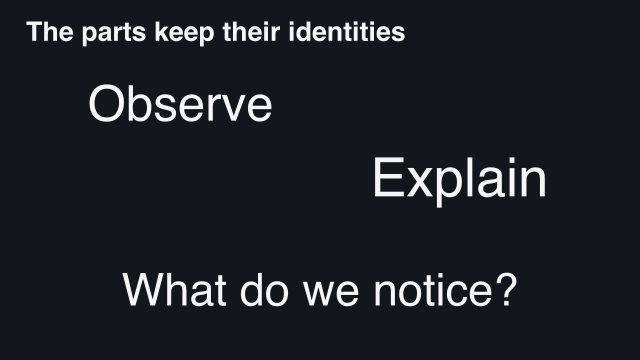 2 s — first arrangement
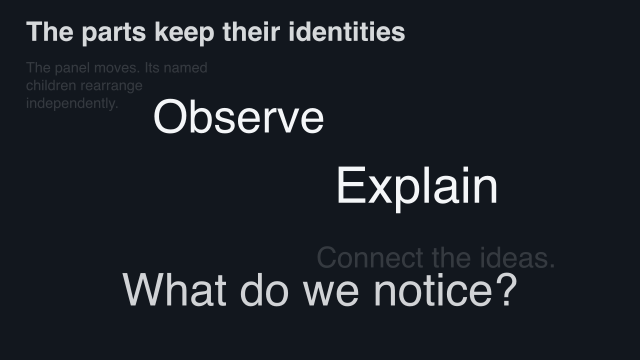 2.625 s — children begin to move
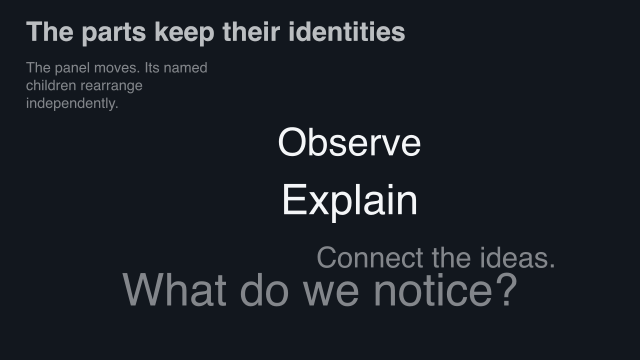 3.25 s — halfway
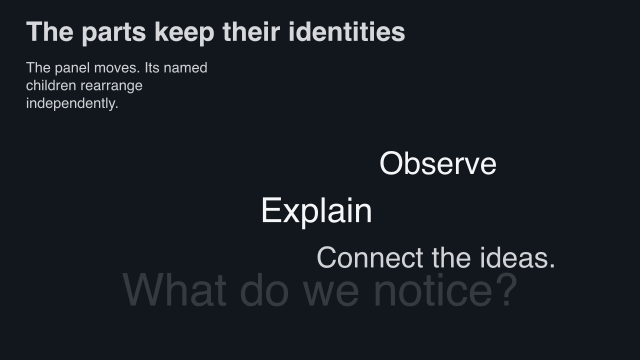 3.875 s — new child appears
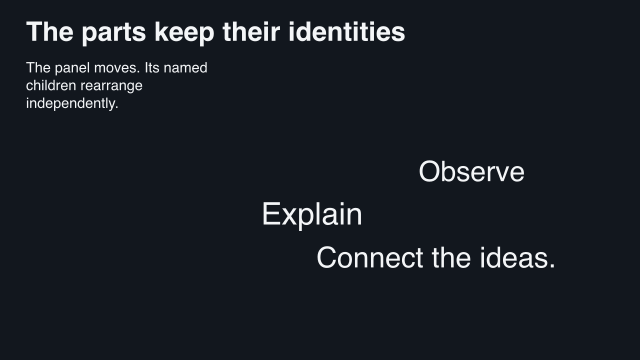 4.5 s — second arrangement
Sample times are measured from the start of this example.
Matching uses names, not similar-looking text or declaration order. A group can contain another group; child names are scoped by their parent. A changed appearance crossfades inside its moving rectangle. Newly added children fade in; removed children fade out.
The preparation and match report are also executable for this text-only example:
(define prepared-parts (prepare-storyboard! parts-film)) (define parts-report (storyboard-match-report prepared-parts))
> (prepared-storyboard? prepared-parts) #t
> (pair? parts-report) #t
> (storyboard->pict prepared-parts #:at 13/4)
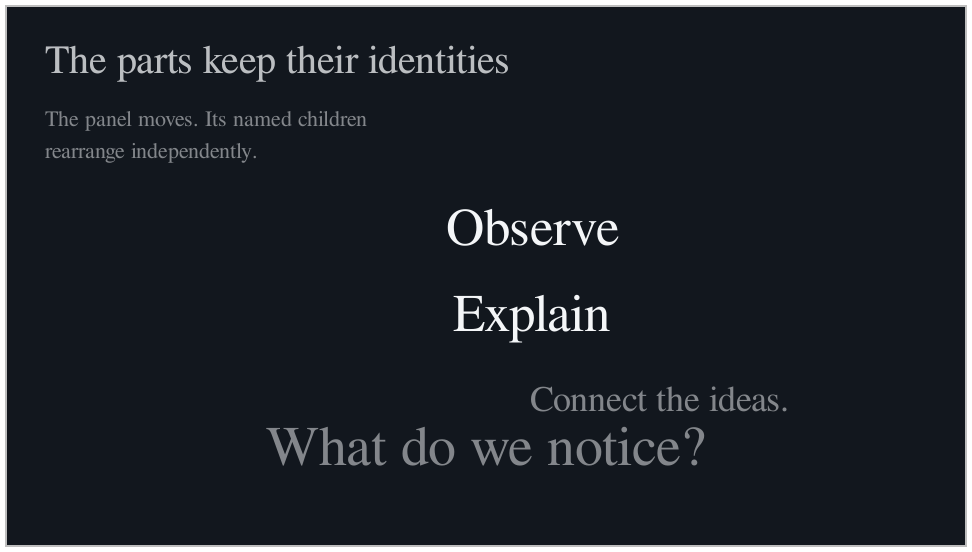
The still above is sampled halfway through the 2.5-second semantic bridge.
38.2 Freeze a point in an existing animation
A checkpoint, made with content-state, freezes an existing content source at a selected local time. This is different from a playing figure. Use the equation and plan from A mathematical explanation has its own plan.
Both checkpoints below use the same twelve-by-seven canonical viewport. That shared local window lets the outer slide layout change without typesetting two unrelated versions of the equation.
These definitions remain sourced from the complete maintained program, rather than duplicating the mathematical derivation in this chapter:
(define before-card |
(slide #:layout 'title+figure |
[title "Keep the algebra, change the layout"] |
[figure #:key 'work |
(content-state equation #:at '(subtract-five start) |
#:viewport '(12 7))])) |
(define after-card |
(slide #:layout 'title+figure |
[title "Keep the algebra, change the layout"] |
[body "Subtract five on both sides. Cancel the opposites. Evaluate the right side."] |
[figure #:key 'work |
(content-state equation #:at '(evaluate-rhs end) |
#:viewport '(12 7))])) |
38.3 Replay the known interval while changing the layout
The match below advances the original math plan from the first checkpoint to the second while it moves the figure. It does not guess algebra from two pictures.
(define film |
(storyboard #:id 'math-checkpoints #:theme lecture-dark |
(storyboard-shot 'before (hold-slide before-card #:duration 2)) |
(slide-transition #:effect 'match #:keys '(work) |
#:depth 'semantic #:duration 4 #:easing 'smooth) |
(storyboard-shot 'after (hold-slide after-card #:duration 3)))) |
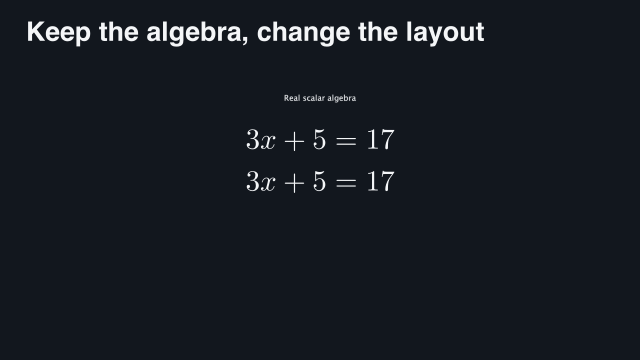 2 s — first checkpoint
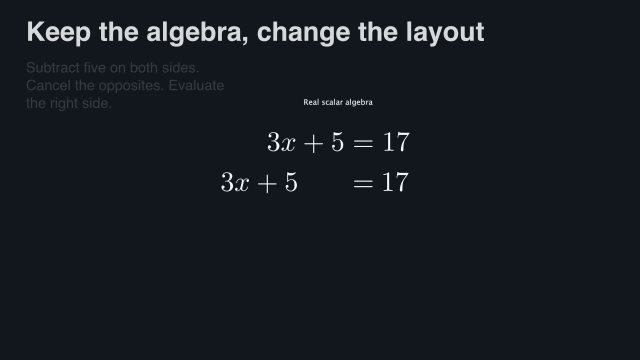 3 s — subtract on both sides
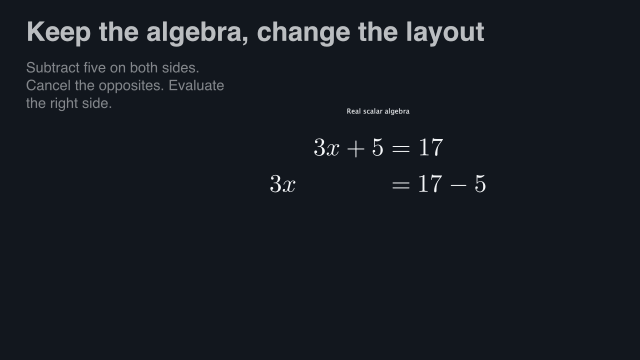 4 s — continue the authored step
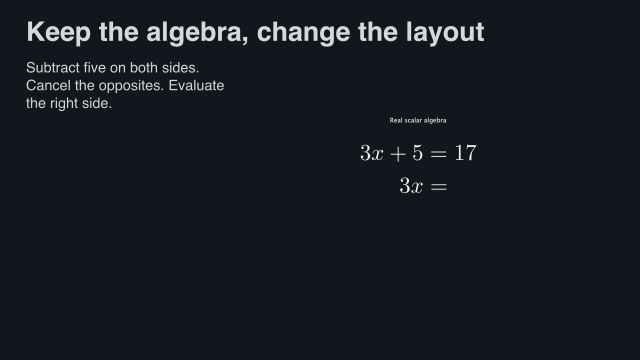 5 s — simplify
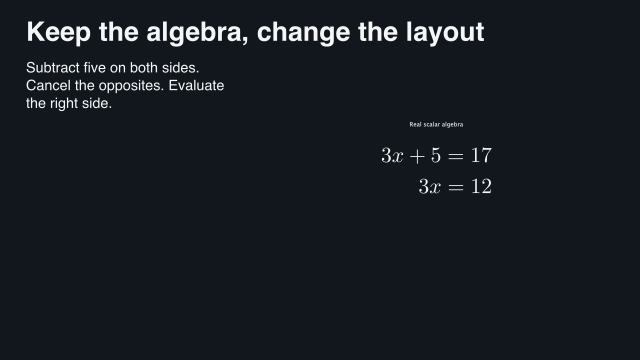 6 s — final checkpoint
Sample times are measured from the start of this example.
During the held shots, each checkpoint is still. Only the bridge advances the selected child interval. The equation ends at 3x = 12; this example is not yet the complete solution x = 4.
38.4 The same idea works for a construction
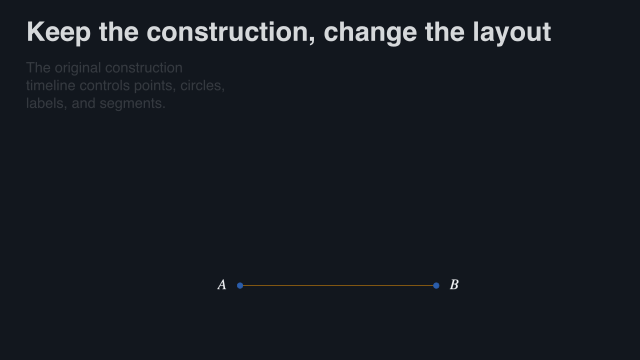
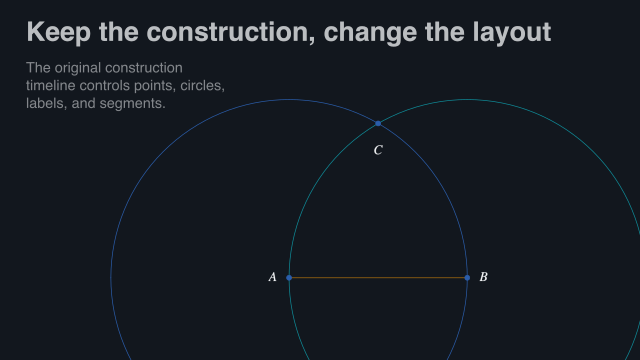
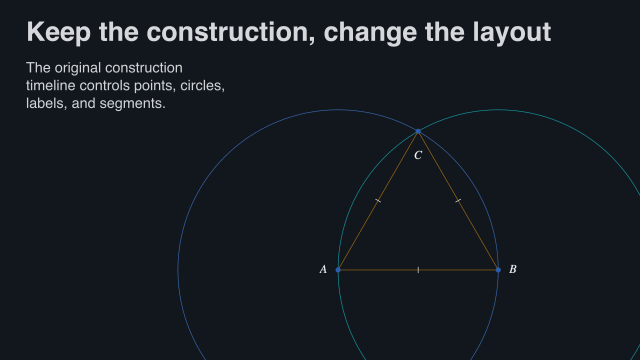
Use checkpoints from one geometry-content value. In the gallery, the first checkpoint is '(1 end), after the two given points have appeared; the second is 'end. That is why the starting picture is not an empty viewport.
(define construction (geometry-content equilateral-triangle)) (define before (content-state construction #:at '(1 end) #:viewport '(12 7))) (define after (content-state construction #:at 'end #:viewport '(12 7)))
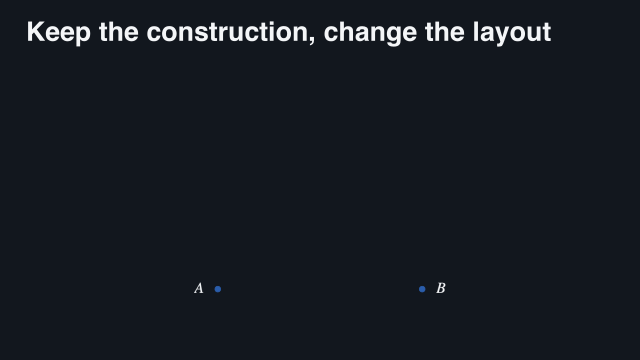 2 s — given points visible
 3.5 s — first construction steps
 5 s — construction continues
 6.5 s — add remaining geometry
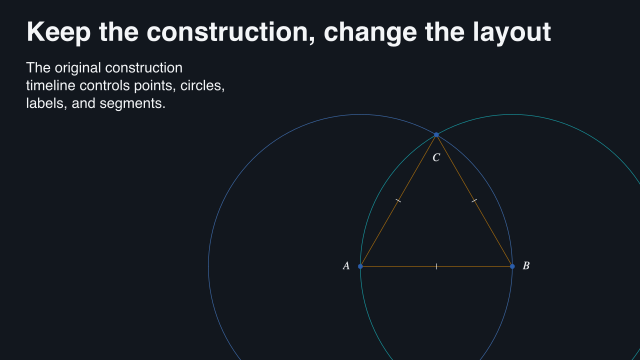 8 s — completed construction
Sample times are measured from the start of this example.
These frames are from 'semantic-geometry in the gallery. The original construction controls the circles, lines, and labels throughout the bridge. It is not a morph between independently solved constructions.
38.5 Let two domains advance in one bridge
A named group can contain both the mathematical checkpoint and the construction checkpoint. Each retains its own identity and local interval while the outer panel changes arrangement. The 'semantic-math-geometry gallery example does this; it is not a second animation engine.
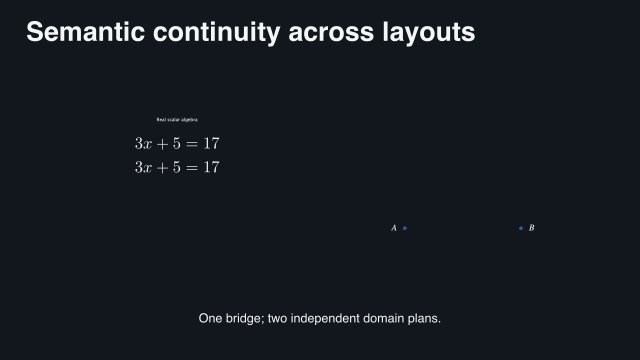 2 s — two starting checkpoints
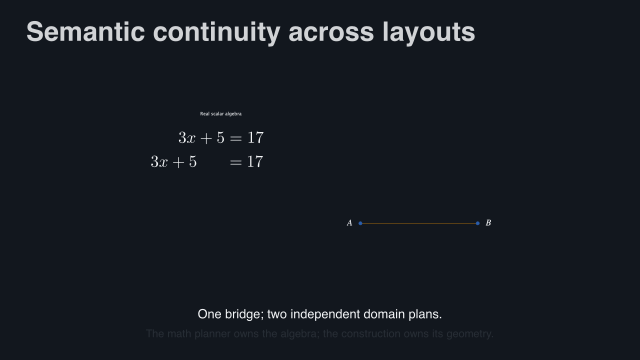 3.5 s — both plans advance
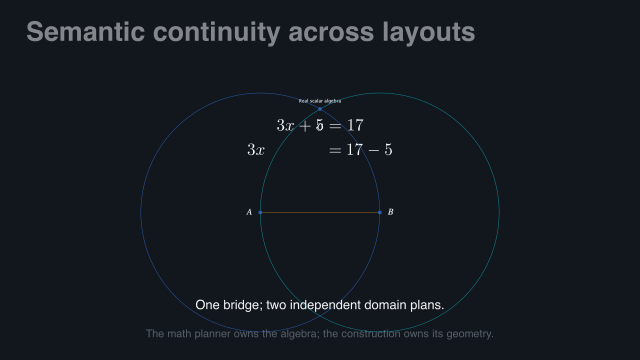 5 s — viewports change places
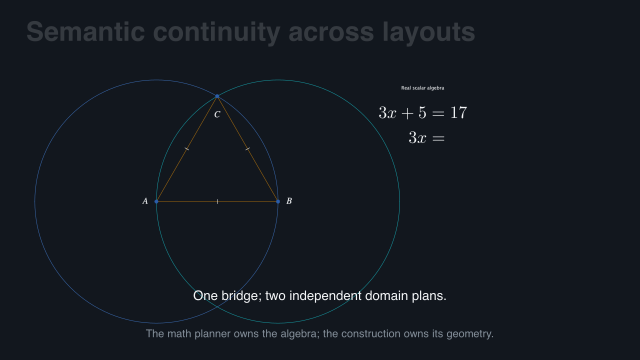 6.5 s — move toward final layout
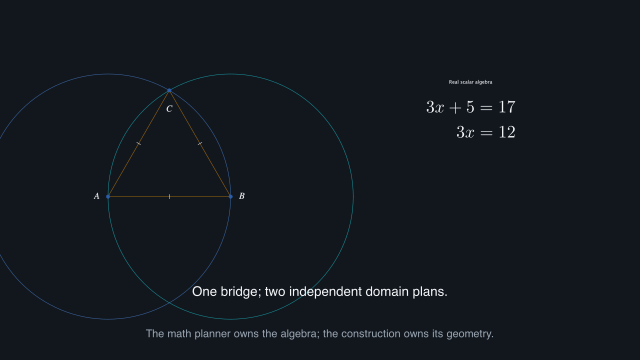 8 s — two completed checkpoints
Sample times are measured from the start of this example.
To render that complete example, see Render only the examples you need. Its source is "slides/examples/gallery/semantic-domains.rkt".
38.6 Choose the strictness and inspect the result
#:depth 'auto, the default, uses supported inner matching and otherwise falls back to ordinary matching or a crossfade. #:depth 'semantic reports unsupported correspondence. #:depth 'slot keeps the older whole-slot policy.
The earlier parts-report is the result of (storyboard-match-report prepared-parts). It describes what was matched, replayed, or left to a fallback. Reduced motion crossfades the frozen endpoints without replay. Replay is visual-only; it does not copy or stretch narration. See Named children and frozen checkpoints for the full contracts.