14 Slide recipes
Short slide recipes are evaluated as part of the manual build. The math and geometry recipes remain complete source files because their domain plans and toolchains are part of the example rather than incidental setup.
14.1 Make a title card
(define welcome (slide #:id 'welcome #:layout 'title [title "Solving equations"] [subtitle "Keep both sides equal."])) (define welcome-picture (slide->pict welcome))
> (slide? welcome) #t
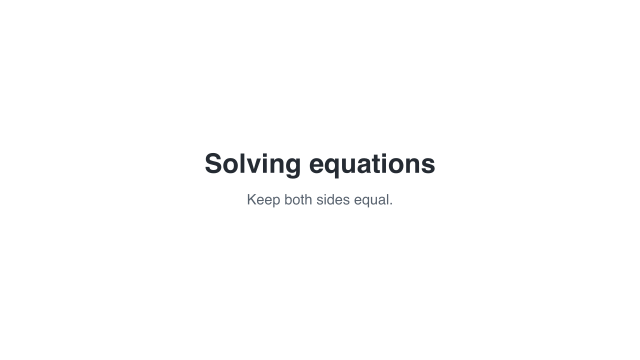 Fully populated title card
A still picture; it has no playback duration.
To give the card a duration, use (hold-slide welcome #:duration 3). A plain slide and its Pict do not have a movie duration. See Pict and Scene conversion.
14.2 Reveal one bullet at a time
(define build-card (slide #:id 'layout-title+body #:layout 'title+body [title "Explain one idea"] [body (bullets [structure "Choose a layout."] [identity "Name what matters."] [timing "Reveal it at the right moment."])])) (define build-clip (build-slide build-card #:initial 'hidden (beat 'heading #:duration 0.7 (reveal-slot 'title)) (beat 'structure #:duration 0.9 (reveal-slot '(body structure))) (beat 'identity #:duration 0.9 (reveal-slot '(body identity))) (beat 'timing #:duration 0.9 (reveal-slot '(body timing))) (beat 'read #:duration 1.6)))
> (slide-clip? build-clip) #t
 0 s — empty start
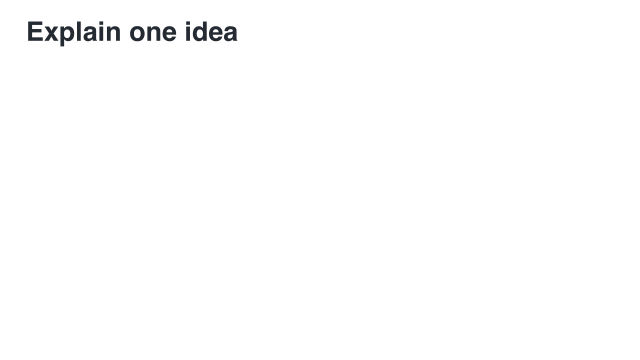 0.7 s — heading
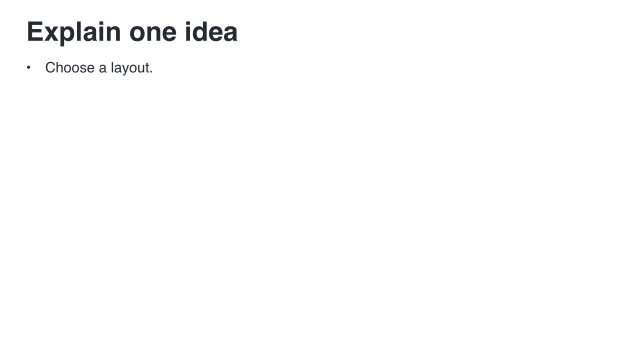 1.6 s — first bullet
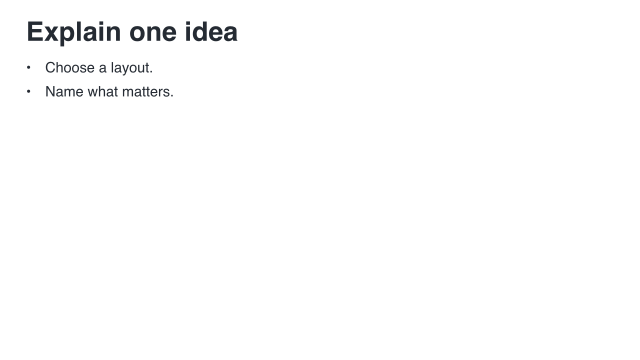 2.5 s — second bullet
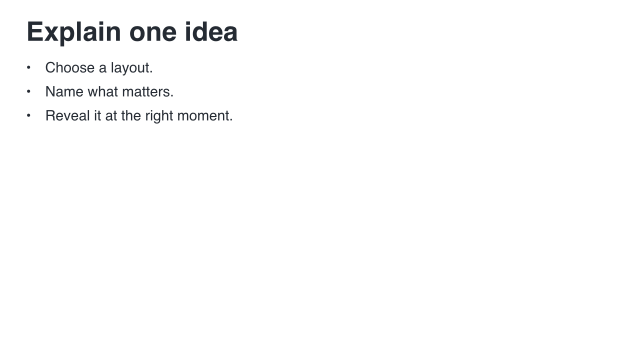 3.4 s — all three bullets
Sample times are measured from the start of this example.
Select the second settled bullet state with (slide->pict build-clip #:at '(identity end)). To hide the complete list later, append a beat containing (conceal-slot 'body #:duration 0.5). To draw attention first, use emphasize-slot on a visible item. Neither operation frees layout space. See Slot actions.
14.3 Use your own theme
(define base-type (slide-theme-typography lecture-dark)) (define course-type (typography-theme #:id 'course-type #:extends base-type #:styles (hash 'title (text-style-update (typography-ref base-type 'title) #:font-family 'roman #:font-size 0.72)))) (define course-theme (slide-theme #:id 'course #:extends lecture-dark #:typography course-type #:spacing (hash 'safe-x 0.8 'column-gap 0.7) #:decorations (hash 'title-rule? #t)))
> (slide-theme? course-theme) #t
Use the theme on a storyboard or when converting an unprepared slide:
(define themed-picture (slide->pict welcome #:theme course-theme))
This changes presentation settings; it does not rewrite welcome. The comparison below uses the built-in light and dark themes so the color change is easy to see.
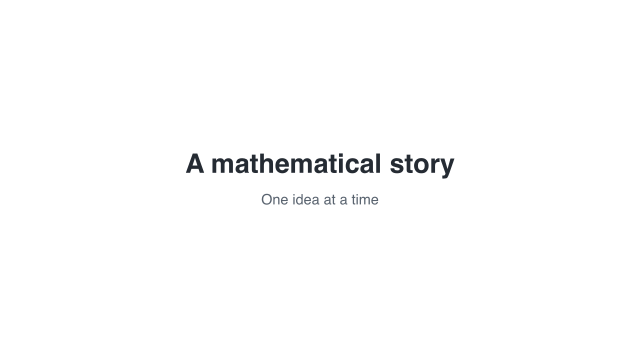 Light theme
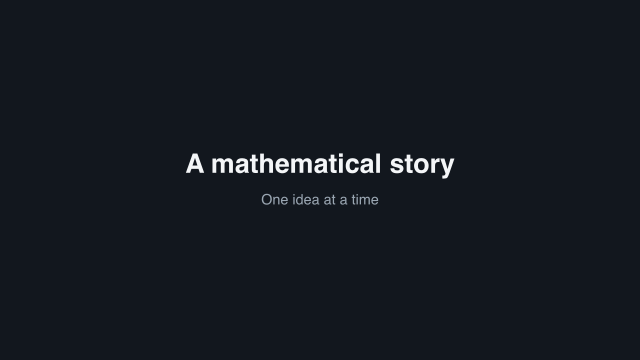 Dark theme
Alternative views of the same content, not consecutive frames.
A prepared slide already has a measured layout. Change the original description and prepare again. See Themes and formats.
14.4 Keep a title between slides
Give corresponding contents a shared key, then match that key across a transition.
(define shared-title (paragraph-content "Keep the idea" #:align 'left)) (define title-before (slide #:layout 'title [title #:key 'topic #:align 'center shared-title] [subtitle "A centered introduction"])) (define title-after (slide #:layout 'title+body [title #:key 'topic shared-title] [body "The same prepared title moves to its new position."])) (define title-film (storyboard #:id 'manual-title-match #:theme lecture-dark (storyboard-shot 'before (hold-slide title-before #:duration 1.2)) (slide-transition #:effect 'match #:keys '(topic) #:duration 1 #:easing 'smooth) (storyboard-shot 'after (hold-slide title-after #:duration 1.8))))
> (storyboard? title-film) #t
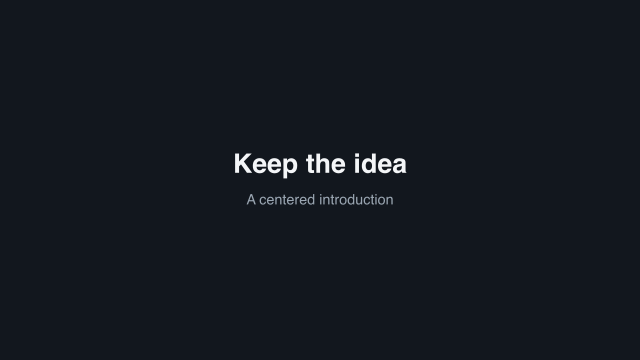 1.2 s — before
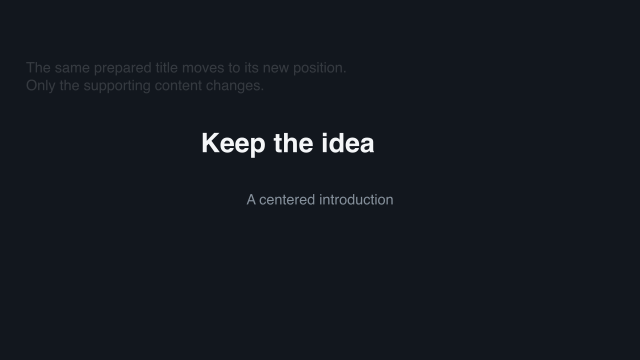 1.45 s — one quarter
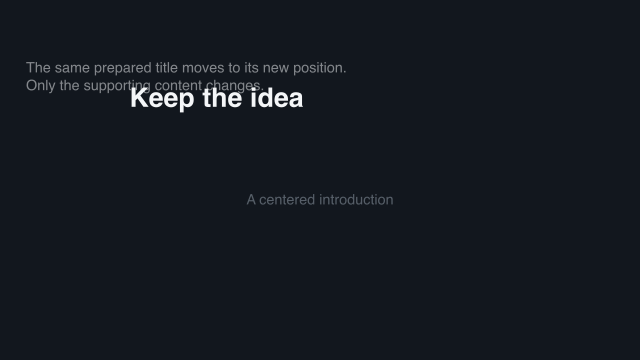 1.7 s — halfway
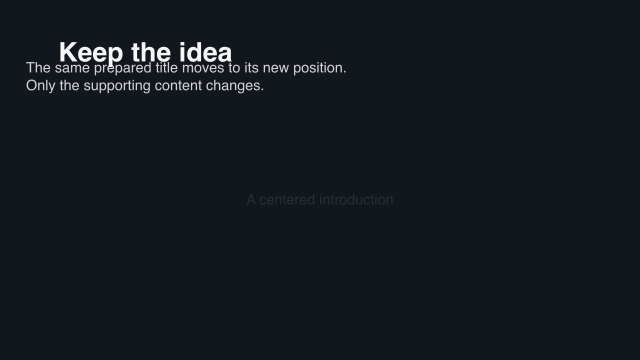 1.95 s — three quarters
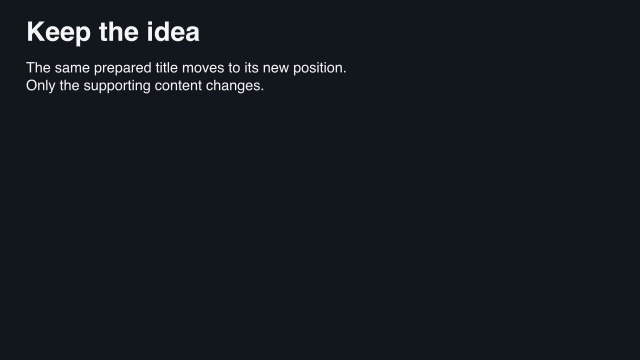 2.2 s — after
Sample times are measured from the start of this example.
The content keeps the key 'topic while the layout changes. See Storyboards and transitions.
14.5 Move children as their panel changes layout
Semantic part names state which children continue into the next arrangement.
(define (make-idea-panel final?) (define row (semantic-group #:width 10 #:height 3 (semantic-part 'observe "Observe" #:x (if final? 6 0) #:y 0 #:width 4 #:height 1.2) (semantic-part 'explain "Explain" #:x (if final? 0 6) #:y 1.6 #:width 4 #:height 1.2))) (semantic-group #:width 12 #:height 6 (semantic-part 'ideas row #:x (if final? 0 1) #:y (if final? 1.4 0.4) #:width (if final? 9 10) #:height 3) (semantic-part (if final? 'conclusion 'question) (if final? "Connect the ideas." "What do we notice?") #:x 1 #:y 4.5 #:width 10 #:height 1))) (define parts-before (slide #:layout 'title+figure [title "The parts keep their identities"] [figure #:key 'ideas (make-idea-panel #f)])) (define parts-after (slide #:layout 'title+figure [title "The parts keep their identities"] [body "The panel moves. Its named children rearrange independently."] [figure #:key 'ideas (make-idea-panel #t)])) (define parts-film (storyboard #:id 'manual-parts #:theme lecture-dark (storyboard-shot 'before (hold-slide parts-before #:duration 2)) (slide-transition #:effect 'match #:keys '(ideas) #:depth 'semantic #:duration 2.5 #:easing 'smooth) (storyboard-shot 'after (hold-slide parts-after #:duration 3))))
> (storyboard? parts-film) #t
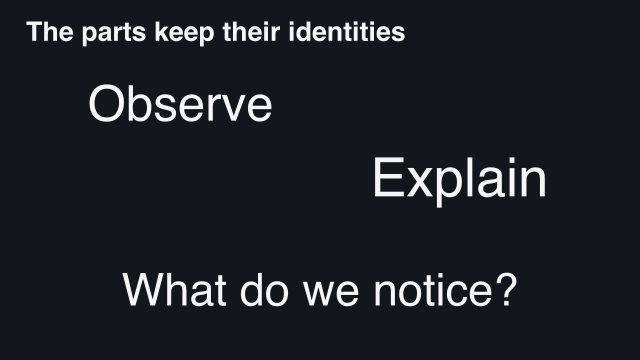 2 s — first arrangement
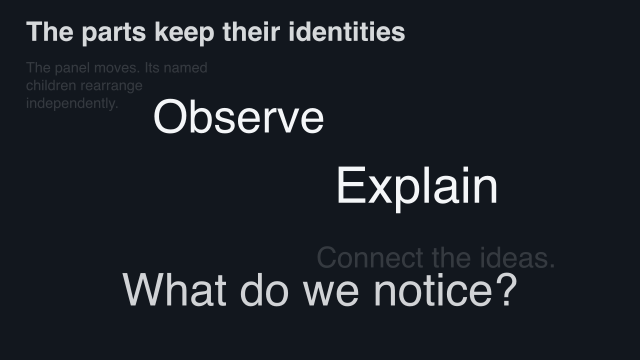 2.625 s — children begin to move
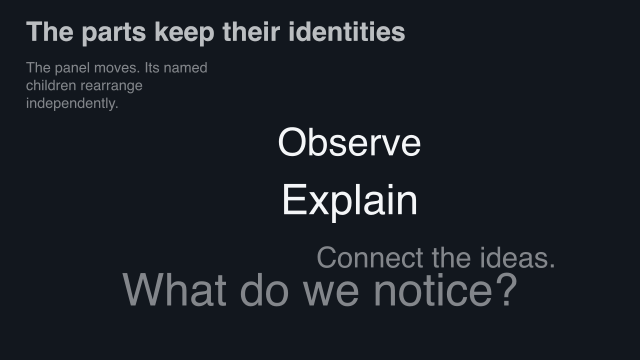 3.25 s — halfway
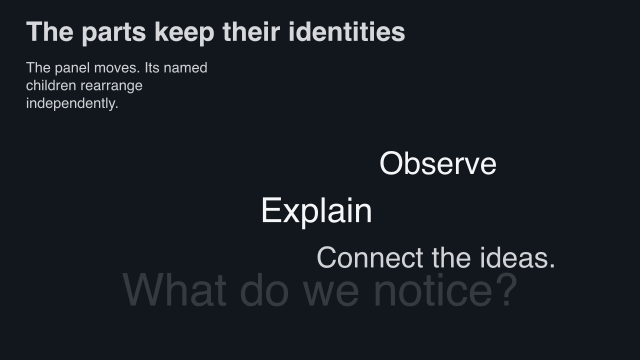 3.875 s — new child appears
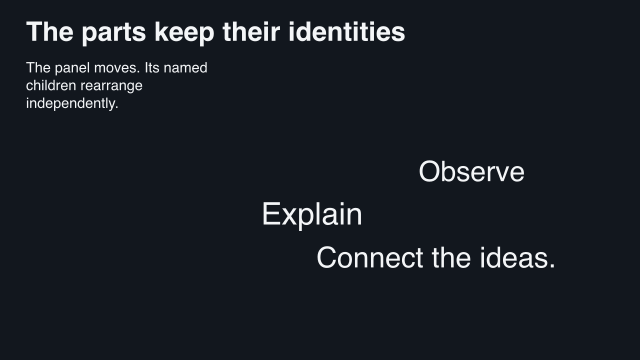 4.5 s — second arrangement
Sample times are measured from the start of this example.
A part’s x/y coordinates are measured from its containing group’s top-left, not its center. See Named children and frozen checkpoints.
14.6 Move an equation while doing its algebra
This example is intentionally kept as one complete program. Its derivation, presentation plan, checkpoints, and storyboard belong together, and preparing it uses the math typesetting toolchain.
scribblings/examples/math-checkpoints.rkt
#lang racket/base
(require animate/math animate/slides animate/slides/math)
(provide problem working plan equation before-card after-card film)
(define problem
(math '(= (+ (* 3 x) 5) 17) #:id 'problem
#:context (math-context #:real '(x))))
(define working
(derive problem
[subtract-five (both-sides 'subtract 5)]
[cancel-five (cancel-addends #:at (lhs))]
[evaluate-rhs (evaluate #:at (rhs))]))
(define plan
(present working #:style classroom
#:groups '((subtract-five cancel-five evaluate-rhs))))
(define equation (math-content plan))
(define before-card
(slide #:layout 'title+figure
[title "Keep the algebra, change the layout"]
[figure #:key 'work
(content-state equation #:at '(subtract-five start)
#:viewport '(12 7))]))
(define after-card
(slide #:layout 'title+figure
[title "Keep the algebra, change the layout"]
[body "Subtract five on both sides. Cancel the opposites. Evaluate the right side."]
[figure #:key 'work
(content-state equation #:at '(evaluate-rhs end)
#:viewport '(12 7))]))
(define film
(storyboard #:id 'math-checkpoints #:theme lecture-dark
(storyboard-shot 'before (hold-slide before-card #:duration 2))
(slide-transition #:effect 'match #:keys '(work)
#:depth 'semantic #:duration 4 #:easing 'smooth)
(storyboard-shot 'after (hold-slide after-card #:duration 3))))
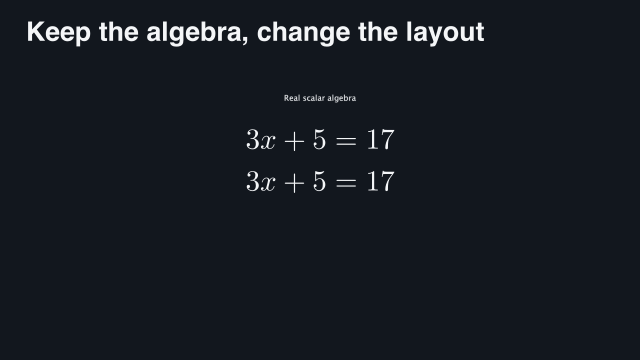 2 s — first checkpoint
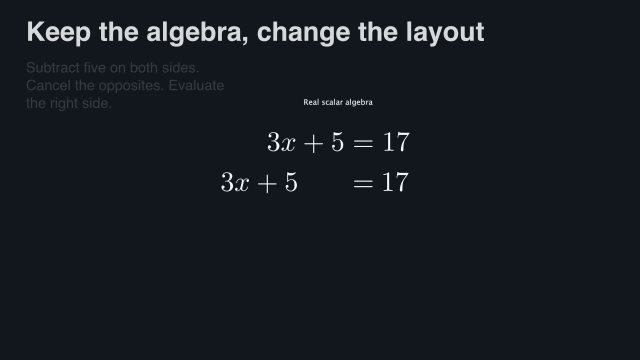 3 s — subtract on both sides
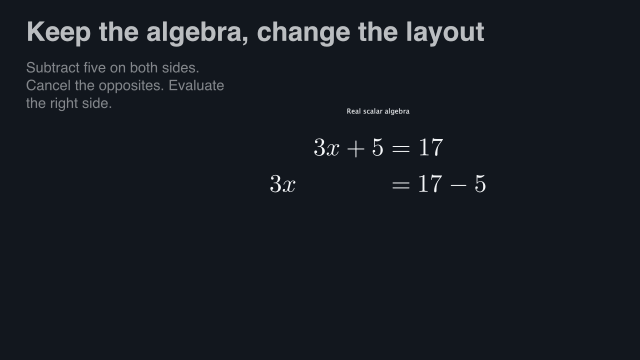 4 s — continue the authored step
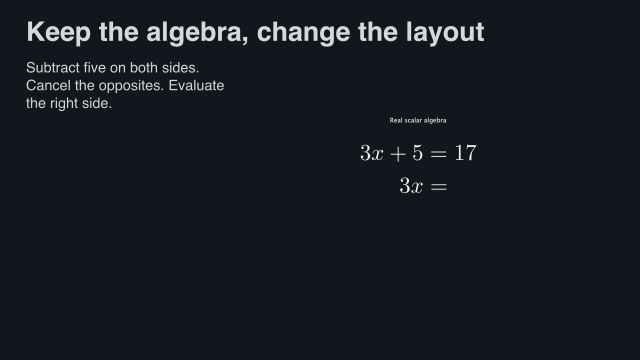 5 s — simplify
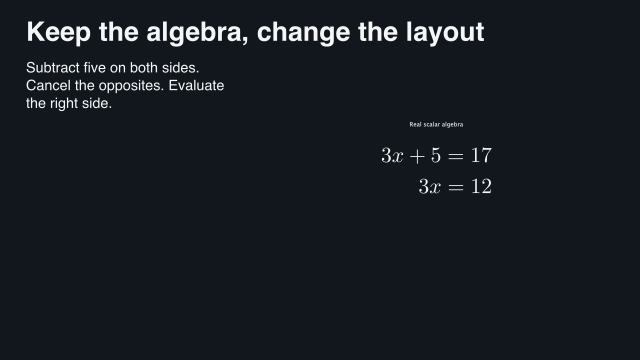 6 s — final checkpoint
Sample times are measured from the start of this example.
Prepare with prepare-storyboard! before sampling the result. The bridge replays the authored derivation; it does not infer algebra from unrelated pictures. See Freeze a point in an existing animation and Named children and frozen checkpoints.
14.7 Reuse an animated construction
This is also a complete-program example: the imported construction and slide wrapper are separate reusable pieces.
scribblings/examples/geometry-slide.rkt
#lang racket/base
(require animate/slides animate/slides/geometry
(only-in animate/geometry/examples/equilateral-triangle equilateral-triangle))
(provide card clip film)
(define card
(slide #:layout 'title+figure
[title "Construct equal sides"]
[figure (geometry-content equilateral-triangle)]))
(define clip
(build-slide card
(beat 'construct
#:narration
(narration "Construct an equilateral triangle with two circles."
#:draft-duration 4)
(play-content 'figure))
(beat 'hold #:duration 2)))
(define film
(storyboard #:id 'manual-geometry #:theme lecture-dark
(storyboard-shot 'geometry-construction clip)))
 0 s — before the reveal
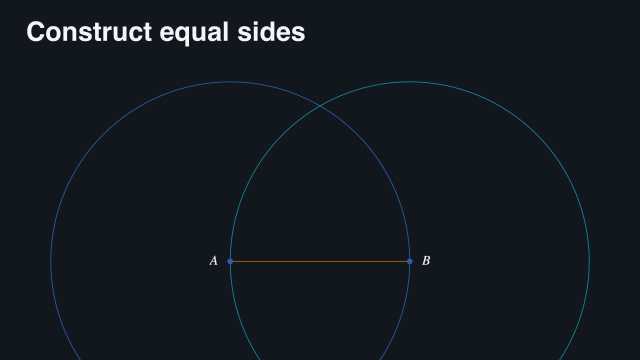 10.55 s — construction in progress
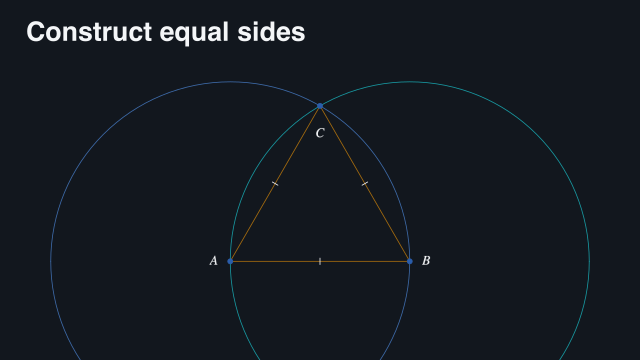 23.1 s — completed and held
Sample times are measured from the start of this example.
play-content starts the local animation; revealing the slot alone does not. Use the ordinary slide project runner for workers. See Render a slide video with ten workers.