45 A complete slide lesson
The lesson introduces a rule, applies it to one input, and ends with a recap. The source separates the words and layouts from their timing. A shared heading stays connected across the final transition.
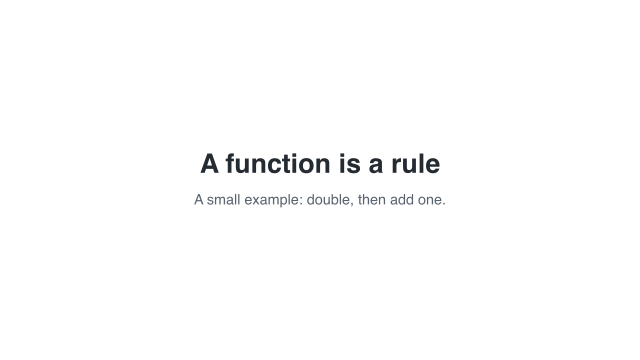 0 s — opening card
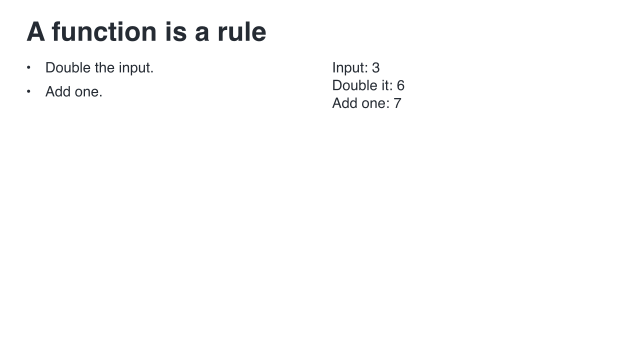 12 s — worked input
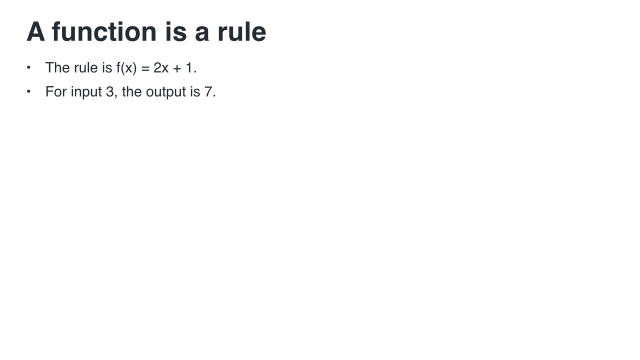 19.6 s — recap
Opening, worked input, and recap. These times belong to the complete storyboard.
45.1 Complete lesson source
scribblings/examples/slide-lesson.rkt
#lang racket/base (require animate/slides) (provide opening rule-slide rule-clip recap-slide recap-clip film) ;; doc: opening begin (define opening (hold-slide (slide #:id 'opening-card #:layout 'title [title "A function is a rule"] [subtitle "A small example: double, then add one."]) #:duration 3)) ;; doc: opening end ;; doc: rule begin (define rule-slide (slide #:id 'rule-card #:layout 'title+two-column [title #:key 'lesson-heading "A function is a rule"] [left (bullets [double "Double the input."] [add "Add one."])] [right (paragraph-content "Input: 3\nDouble it: 6\nAdd one: 7")])) ;; doc: rule end ;; doc: rule-timing begin (define rule-clip (build-slide rule-slide #:initial '(title) (beat 'rule #:duration 4 (reveal-slot 'left #:duration 0.5)) (beat 'example #:duration 5 (reveal-slot 'right #:duration 0.5)) (beat 'read #:duration 2))) ;; doc: rule-timing end ;; doc: recap begin (define recap-slide (slide #:id 'recap-card #:layout 'title+body [title #:key 'lesson-heading "A function is a rule"] [body (bullets [rule "The rule is f(x) = 2x + 1."] [example "For input 3, the output is 7."])])) (define recap-clip (build-slide recap-slide #:initial '(title) (beat 'summary #:duration 5 (reveal-slot 'body #:duration 0.5)))) ;; doc: recap end ;; Exactly 19.6 seconds. Transition time is additional, never stolen from a beat. ;; doc: storyboard begin (define film (storyboard #:id 'function-lesson #:theme lecture-light (storyboard-shot 'opening opening) (storyboard-cut) (storyboard-shot 'rule rule-clip) (slide-transition #:effect 'match #:keys '(lesson-heading) #:duration 0.6) (storyboard-shot 'recap recap-clip))) ;; doc: storyboard end
45.2 How the program is organized
opening is a three-second title clip. rule-slide contains the rule and the worked input; rule-clip reveals them in named beats. The recap follows the same split between content and timing.
film puts the clips in order. The opening lasts 3 seconds, the rule clip 11, the transition 0.6, and the recap 5: 19.6 seconds in all. Transition time is additional. The title’s 'lesson-heading key identifies what should remain connected, rather than asking the renderer to infer identity from words.
45.3 Render the lesson
racket slides/render-example.rkt --workers 10 \ |
--output slides-output/complete-examples/slide-lesson \ |
scribblings/examples/slide-lesson.rkt |
The runner loads the exported film. Merely running the lesson source file does not ask it to create a movie.
45.4 Keep render settings in a project file
This optional second file belongs beside "slide-lesson.rkt". It refers to that file rather than making another copy of the lesson. The relative source path is resolved from the project module; the output path is resolved from the working directory used to run the project.
scribblings/examples/project.rkt
#lang racket/base (require animate/project animate/slides animate/slides/project) (provide lesson-project) (define lesson-project (animate-project #:id 'manual-lesson #:source (storyboard-source "slide-lesson.rkt" 'film) #:render (render-spec #:fps 30 #:width 1280 #:height 720 #:workers 10 #:theme (slide-theme-colors lecture-light) #:typography (slide-theme-typography lecture-light)) #:output (output-spec #:root "slides-output/manual-videos" #:name "function-lesson") #:cache (cache-spec #:policy 'off)))
Use the project command instead of the earlier slide-runner command:
raco animate render scribblings/examples/project.rkt lesson-project |
The project requests ten frame workers and uses the light theme’s color and text settings. The worker count is a capacity request, not a promised speedup.
45.5 Try one change
Use a different input in the worked example and update the recap to match. Or change one beat duration without changing the layout. When changing the storyboard theme, keep the project’s color and typography settings in agreement.
See Make a slide and give it time, Put slides together, and Render a larger project.